ROS2 Teleoperation (Linux)
Drive the robot directly from a Linux machine using rmw_zenoh_cpp — no iROSLink Control tab needed.
Prerequisites
- ROS2 Jazzy installed
rmw_zenoh_cppinstalled:sudo apt install ros-jazzy-rmw-zenoh-cpp- ESP32 flashed and on the same WiFi network → Build & Configure
- iROSLink running in Router or Client mode → Build & Configure
Clear stale ROS2 daemon
If you previously used a different RMW, clear it first:
Keyboard teleoperation
Terminal 1 — Zenoh router (skip if phone is in Router mode and you're connecting as client):
Terminal 2 — keyboard teleop:
source /opt/ros/jazzy/setup.bash
export RMW_IMPLEMENTATION=rmw_zenoh_cpp
ros2 run teleop_twist_keyboard teleop_twist_keyboard
Use i / , to move forward/back, j / l to turn. k stops.
Gamepad teleoperation
Install once:
Then run (hold L1 / LB enable button while moving the stick):
# Terminal 3 — joy driver
ros2 run joy joy_node

# Terminal 4 — teleop node
ros2 run teleop_twist_joy teleop_node --ros-args \
    -p axis_linear.x:=1 -p axis_angular.yaw:=0 \
    -p scale_angular.yaw:=1.0 -p enable_button:=4 \
    -p publish_stamped_twist:=false
enable_button:=4 maps to L1/LB on most controllers. Adjust if your gamepad differs.
Verify the robot receives commands
In a separate terminal:
You should see geometry_msgs/Twist messages while driving. The ESP32 serial monitor also prints received commands:
Reference stack (Docker)
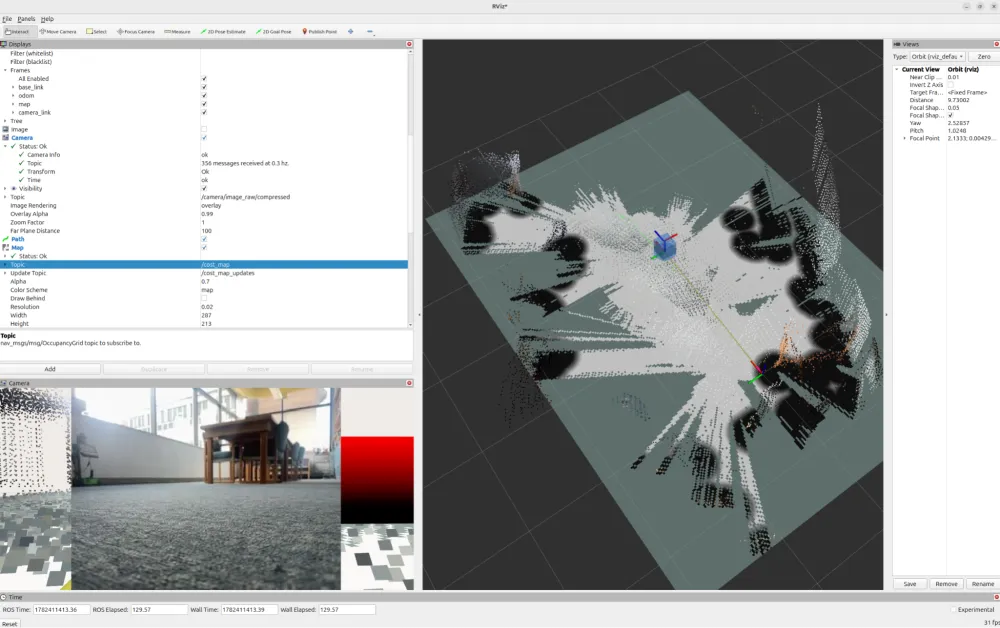
The iroslink-docker repo provides a ready-made ROS2 Jazzy environment with rmw_zenoh_cpp, Nav2, RViz2, and SLAM Toolbox pre-installed. Use it if you want to run a full custom nav stack on a laptop or Raspberry Pi without a native ROS2 install.
Once the container is running, the commands on this page work inside it as-is.
Further reading
For CDR wire format, drive mixing math, and ESC timing see INTERNALS.md in the iroslink-esp32 repo.